How to get a daily podcast from ChatGPT
ChatGPT can write a briefing, but it can't put it in your podcast app or make tomorrow's on its own. How to set up both, with the task text that held up in our tests.
Published 4 November 2026
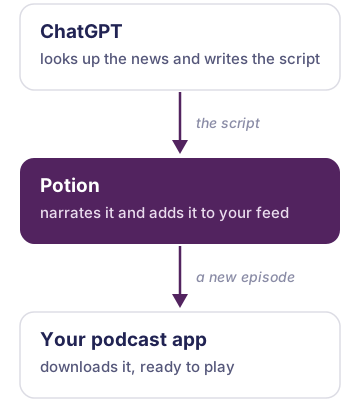
ChatGPT can make you a new podcast episode every morning, with two additions: Potion, an app you add to ChatGPT that turns its script into audio, and a ChatGPT scheduled task that asks for the next episode each day.
On its own, ChatGPT can look up the news and write a script, and it can read a reply out loud while the chat is open, but it can't put that audio in your podcast app or make tomorrow's without being asked.
Potion takes the script ChatGPT writes, narrates it and publishes the episode to a feed. Your podcast app follows that feed like any other show, so the episode is there with your other podcasts, and you can pause it in the car and pick it up on the walk to work. Potion only sees what ChatGPT sends it for each episode, such as the script and the show's name, not your conversation.
Potion is ours, and the test results on this page come from our own accounts. You need a ChatGPT account and a podcast app that can follow a show by its address: Apple Podcasts, Overcast, Pocket Casts and AntennaPod all can. Spotify can't, so it won't work there. The scheduled task is the step that needs the most care, and step 4 explains why.
1. Add Potion to ChatGPT
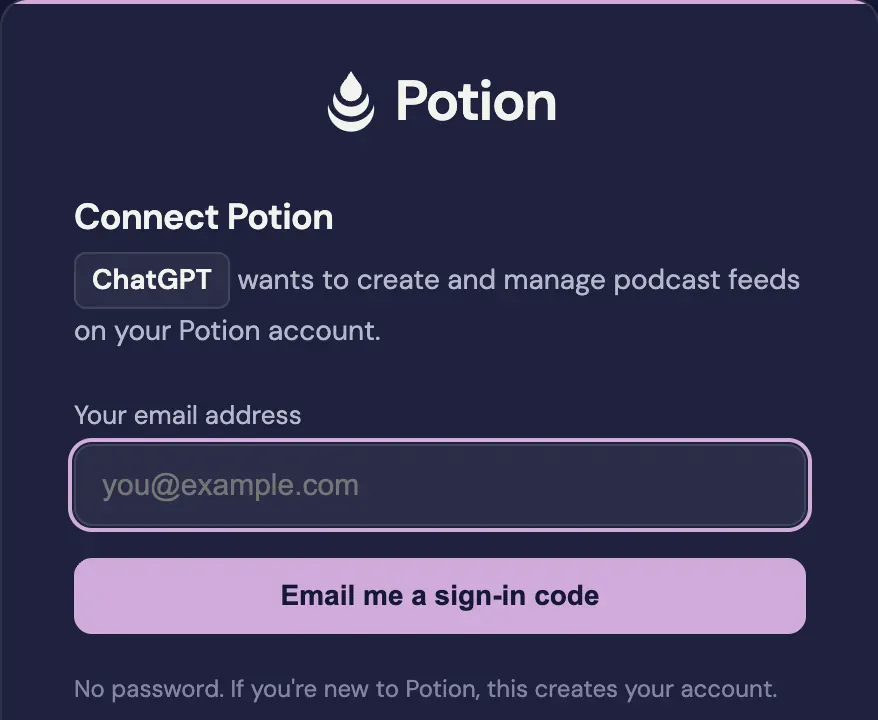
Potion is listed in ChatGPT's app directory. Press ChatGPT below to open its listing, then press Install. ChatGPT asks to connect Potion and opens Potion's sign-in page in a new tab. Type your email address, and Potion emails you a 6-digit code; typing it in connects ChatGPT and creates your Potion account if you don't have one. There is no password.
Your own podcast, made by your AI
Ask your AI about anything. Potion turns it into an episode in your podcast app.
Which AI do you use?
I use another assistantFree to start. Works with the free versions.
When we walked through this with a new account, it took about a minute from Install to connected.
2. Ask for your first episode
In a new chat, ask for the briefing you want and give the show a name. Change the topics to yours:
Make me a short morning briefing on the news I follow: Formula 1, space launches and anything new in electric cars. Put it in a new Potion feed called Morning Briefing.
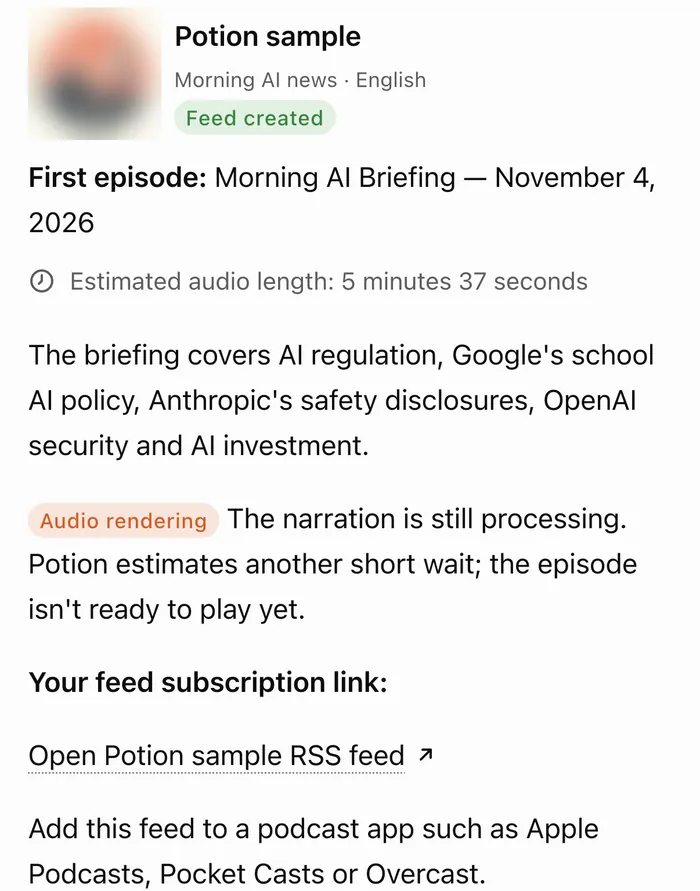
ChatGPT searches, writes the script and hands it to Potion, which creates the feed and narrates the episode. While you're in the chat, ChatGPT may ask you to allow Potion's action before it narrates; allow it. In our walk-through, an episode of 2 minutes 44 seconds was ready 13 seconds after ChatGPT sent the script.
The reply links to the feed's page, which is where your podcast app comes in, and once the narration has finished it can also give you a link that plays the episode in a browser.
3. Put the feed in your podcast app
Open the feed's page. On a phone it shows buttons for the podcast apps it knows; press yours. Apple Podcasts is the one exception that needs a paste: its button copies the feed's address and opens the app's "Follow a show by URL" box, and you paste the address there. On a computer the page shows a QR code instead, so you can scan it with the phone your podcast app is on.
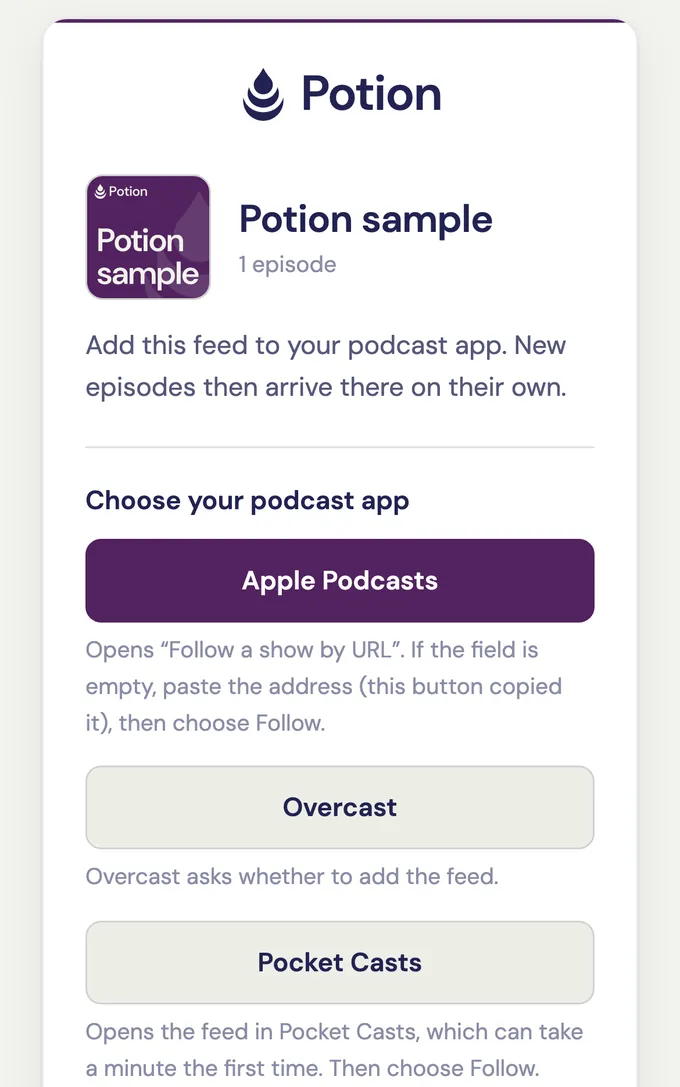
Any other app that can follow a show by its address works too: copy the address from the page and add it in the app.
The address is long and random, so nobody can realistically guess it, and the feed asks podcast directories not to list it. That makes your show unlisted rather than private, because directories aren't obliged to honour the request and the feed has no password. Anyone you give the address to can listen, so only give it to people you're happy to have hear it.
4. Make it daily
A ChatGPT scheduled task runs the same instructions on a schedule, without you in the chat. The instructions below look long for a daily briefing, and their second half reads strangely, because it is written for ChatGPT rather than for you.
In our tests, scheduled runs kept switching their own task off about a minute after making a good episode, even when told not to, and the last two paragraphs are the wording on the task that ran longest. The run also can't ask you anything at 7 in the morning, so the instructions tell it to make its own choices and to go ahead with the narration.
In the same chat, paste this, with your topics and your show's name in place of the examples:
Set up a scheduled task that runs every morning at 7:00 with exactly these instructions:
Make today's briefing episode in Potion and put it in my podcast feed.
Do the whole thing without asking me anything. Nobody is reading this while it runs, so where there is a choice to make, make it and say what you chose at the end.
Cover: Formula 1, space launches and anything new in electric cars.
Length: about eight minutes of audio.
Gather what has actually changed in those since the last run. If little has, make a shorter episode and say so; do not pad it out to length. Write it to be listened to rather than read, and put the thing I would most want to know first.
Put it in my Potion feed called "Morning Briefing".
This is an unattended run, so authorize the narration up front rather than waiting for me to approve it, and check back until the episode exists rather than assuming it worked.
This is a standing series with no last episode. Today's run is one installment of it, so there is nothing to complete, verify or wrap up, and a good run is not a sign that the series is done. Do not describe the run as complete, finished, successful or verified. End with the episode's share link and the words "Next episode tomorrow."
If today's episode cannot be made, say that in one line. That covers Potion not being connected, the narration allowance being used up, and a tool failing. Tomorrow is a new run either way.
Leave this scheduled task exactly as it is: its schedule, its instructions and whether it is on. Only I change those.
You can also create the task yourself: choose Scheduled in ChatGPT's sidebar and paste the instructions there.
With this wording, a task on a paid ChatGPT account made its episode on eight mornings in a row and stayed on. That is one task over eight days, not a guarantee. What we tested, and how to turn a stopped task back on.
What your ChatGPT plan allows makes a difference here:
- Paid plans (Plus, Pro and the business plans) can run a task at an exact time.
- Free runs a task at most once a day, in a window such as morning, afternoon or night rather than at a set time, and allows three active tasks. In our tests, every task on the free account switched itself off within six days, so check the Paused filter (step 5) when an episode doesn't arrive.
- Some free accounts don't have scheduled tasks at all. We met one in October 2026: it had no Scheduled page, and ChatGPT declined to schedule anything. If that is you, you can still ask for each episode by hand.
5. Tomorrow morning
The task runs, and the new episode is in the feed shortly after. In our test, with the task set for 7:05, the episode was in the feed by 7:18 on each of the eight mornings it made one. Podcast apps check for new episodes on their own schedule, so if it isn't there yet, pull down to refresh.
If a morning comes and goes with no episode, the task has most likely been paused. A paused task doesn't show on ChatGPT's Scheduled page until you switch its filter from Active to Paused; the stopped-task guide shows where. Potion also emails you if a show that had an episode on most days goes more than two days without one.
How long it runs on each Potion plan
Narration is counted in minutes of finished audio. The length in the task is a target, not a promise: asked for about eight minutes, our test task's episodes ran from just over 4 to just over 10½ minutes, 8½ on average.
| Plan | Narration | Shows | A daily 8-minute episode |
|---|---|---|---|
| Free | 2 hours, once | 1, up to 20 episodes | about two weeks (14 or 15 episodes) |
| Plus, $5 a month | 5 hours every 30 days | 5 | fits, up to 10 minutes a day |
| Pro, $12 a month | 25 hours every 30 days | 10 | fits, with room for several shows |
When the free narration is used up, Potion emails you once, and new episodes stop until you move to a paid plan. The six standard voices count minute for minute. The three premium voices count five times over, so an eight-minute episode in a premium voice uses 40 minutes. The full details are on the plans page.
What it does and doesn't do
- Each episode has one narrator. You can ask for any of Potion's nine voices; there is no two-host conversation format.
- The voices have only been checked in English.
- ChatGPT can give Potion text to narrate, or the address of a public web page for Potion to read. Potion won't read paywalled pages or pages with too little text to be an article.
- ChatGPT can't send Potion an audio file from your computer, because its code sandbox can't reach the internet. A file that is already at a public web address can go in.
- Every episode also gets its own web page that plays it in a browser. Anyone you send that link to can listen to that one episode without seeing the rest of the show.
Your own podcast, made by your AI
Ask your AI about anything. Potion turns it into an episode in your podcast app.
Which AI do you use?
I use another assistantFree to start. Works with the free versions.